
For many restaurants and cloud kitchens, delivery apps are a lifeline, and also a leak. Every order brings a commission, and the commission plus other charges can take a big share of the bill. Sources that track the apps quote headline commissions anywhere from the high teens to about thirty percent, with effective costs higher once fees, ads and discounts are added. Those figures vary by city and contract, and most come from vendors, so check your own statement. This guide is not about leaving the apps. It is about building a second channel you own, so that the customers who already like your food can order from you directly.
01Do the maths on one order
Pull up last month's statement from each app. Look at the order value, then at everything that was deducted: commission, payment charges, ad spend, discounts you funded and taxes on the fees. The number that matters is how many rupees of each ₹500 order reached you.
Here is an example only, with made-up numbers. Suppose an order is ₹500 and all deductions together take 30 percent. You keep ₹350. If the same customer orders from you directly and you spend ₹40 on a delivery rider and ₹10 on packing extras, you keep about ₹450 and you can still give a small thank-you. At 40 orders a day, that gap is a real monthly sum. Replace these figures with your own.

02Who will actually order from you directly
Not every customer is ready to leave an app. Start with the people who already know you.
- Regulars who order every week and know the menu by heart.
- Office and apartment groups that order together, and bulk orders for parties and events.
- Walk-in customers who like your food and live nearby but do not know you deliver.
- Tiffin and meal-plan customers who need a steady daily order.
New customers who find you through an app are still worth having. Think of the apps as marketing you pay for, and your own channel as the place to send customers back to.
03Build a menu page that makes ordering easy
Your menu is your shop window. A photo-led, mobile-first menu page lets a customer see the food, know the price and order in a few taps.
- Every dish has a name, price and a short line. Say what is in it, the portion size and whether it is veg or non-veg.
- Real photos of your best-selling dishes. Customers can tell stock photos from the real thing.
- Group the menu into sections such as starters, mains, thali and desserts, with your best sellers first.
- Show timings, delivery area and minimum order near the top.
- Show your FSSAI licence number, as food businesses are expected to. Check the current FSSAI rules for your type of business.
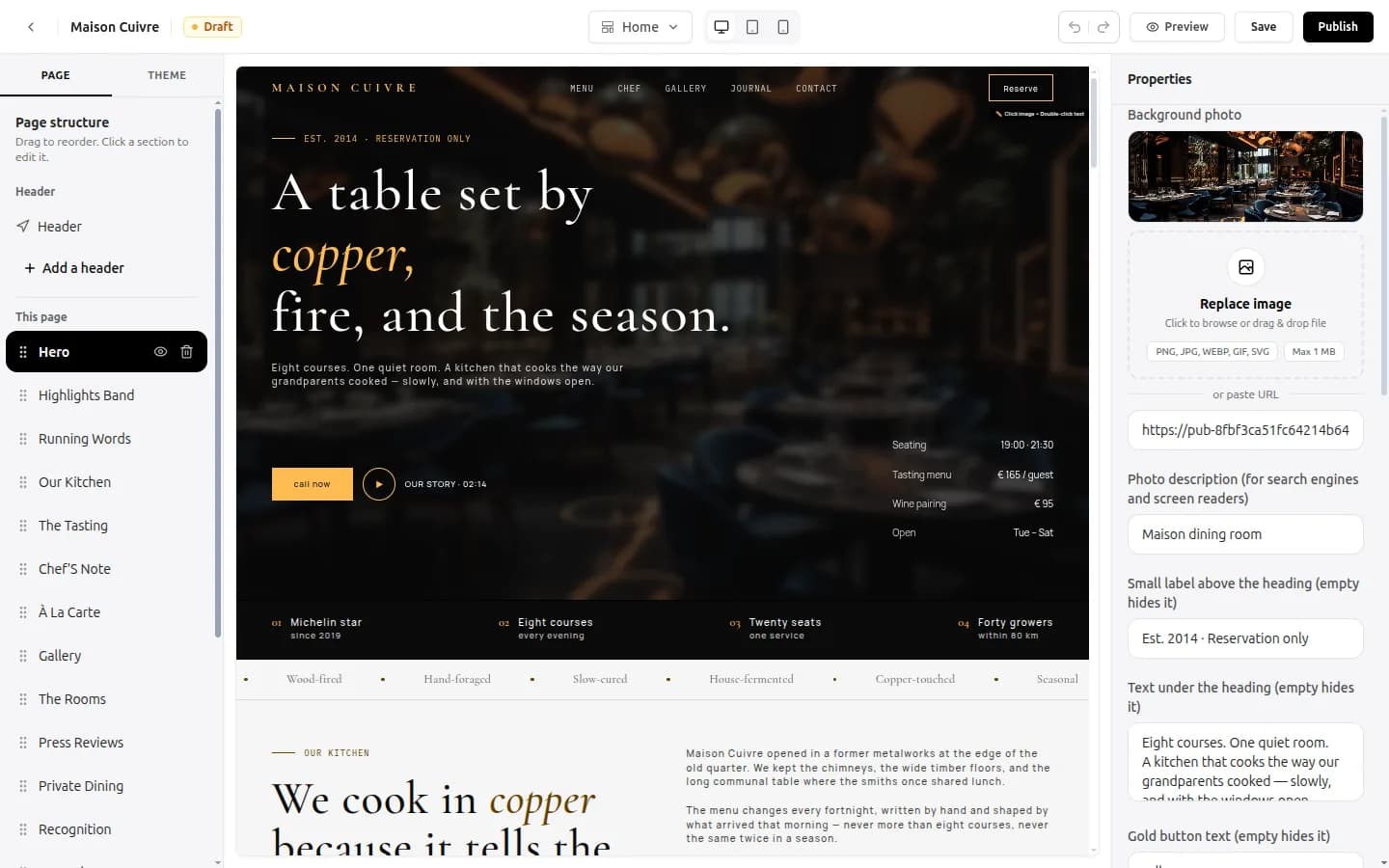
With the website builder, you can start from a restaurant template on the templates page, replace the dishes, prices and photos, and keep the menu fresh yourself.
04Take the order on WhatsApp, without an app of your own
Most customers already use WhatsApp. A WhatsApp order flow needs no download, no sign-up and no saved payment details.
- Add a large Order on WhatsApp button at the top of the menu page and next to every section.
- Set a starter message such as “Hi, I would like to order from the menu” so the customer only has to send it.
- Use WhatsApp Business quick replies for the questions you hear every day: delivery area, timings, minimum order, payment options.
- Keep a short order template the customer can copy: name, address, items and quantities, preferred time.
- Confirm the total and the delivery time by message before you cook.
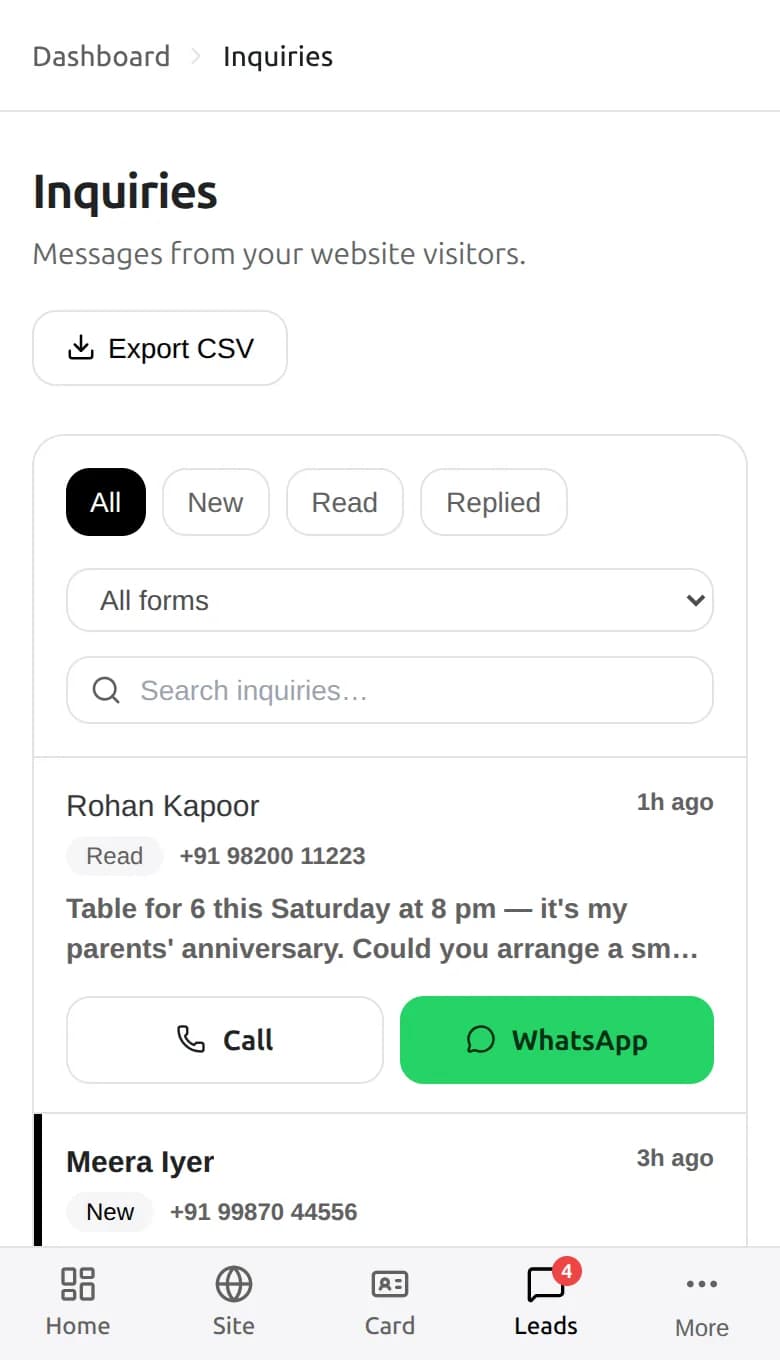
An order form is another way to take an order. With forms and inquiries, you can build an order form with dropdowns for dishes and quantities, and every order lands in one inbox with Call and WhatsApp buttons on a phone. The inbox is a list you check, not an alarm, so keep someone on it during service hours.
05Payments and delivery, kept simple
- Payments: UPI is the easiest. Share your UPI QR or ID in the confirmation message and ask for a screenshot, or collect on delivery. The Showcase layout of a digital business card has a UPI pay button.
- Delivery: start with your own staff for a small radius, or a local rider you pay per trip. Say the delivery area and fee clearly.
- Packaging: good packaging is the best advertisement. Add a small card with your WhatsApp number and QR code.
- Cut-off times: say when you stop taking orders for lunch and dinner, so you never promise what the kitchen cannot make.
06Move your regulars to your own channel, politely
You can promote your own ordering channel. Do it in a way that is useful to the customer, not as a complaint about the apps.
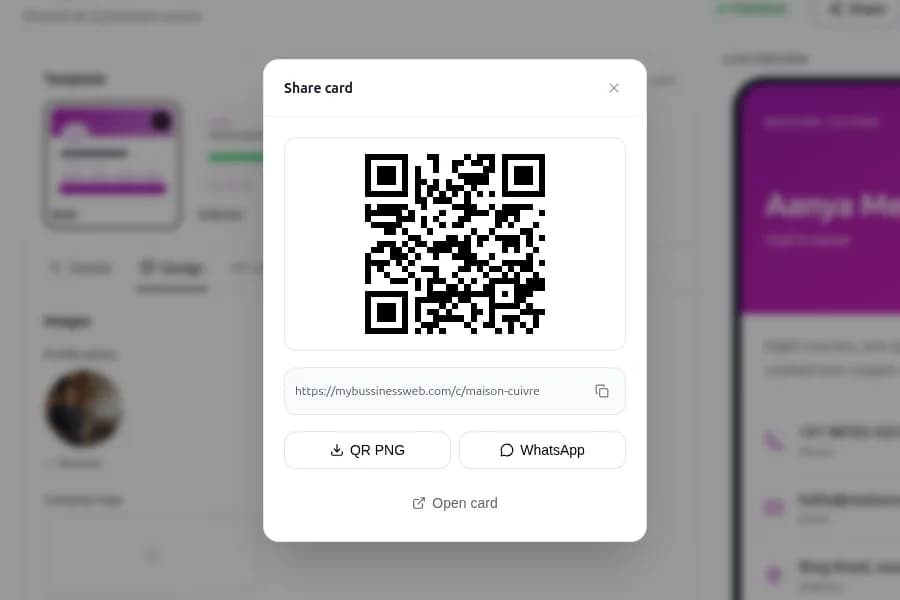
- Put a QR code on every packet that opens your menu or WhatsApp chat.
- Add a card with a line such as “Order direct next time: free dessert on your second order.” Only promise what you will honour.
- Run a WhatsApp broadcast list for regulars who say yes. Send the daily special, not ten messages a day.
- Tell dine-in guests: “We also deliver. Scan here to order.”
- Share your menu link on your Instagram bio and your Google Business Profile.
Before you message customers, ask for their permission and offer a way to opt out. Keep your list private and do not share it.
07Keep the apps, and set your own rules
Apps bring new customers, and many restaurants cannot turn them off. A balanced plan keeps both.
- Keep the apps for discovery and busy hours.
- Use your own channel for repeat orders, bulk orders and events.
- Review your app statement every month and drop discounts that cost more than they bring.
- Check each app's current terms and rate card, since they change. Do not agree to anything that you cannot afford.
08Your direct-order checklist
- Worked out how many rupees of a ₹500 order reach you from each app
- Menu page with real photos, prices, timings and delivery area
- FSSAI licence number shown
- Order on WhatsApp button at the top and in every section
- WhatsApp Business quick replies for common questions
- UPI QR code or ID for payment, and no payment details taken in chat
- QR code and offer card in every packet
- Permission-based broadcast list for regulars
- Monthly review of app statements
Common questions
How can a restaurant reduce Swiggy and Zomato commission?
Keep the apps for discovery, and build your own channel for repeat customers: a menu page, a WhatsApp order button, a QR code on every packet and a polite offer for direct orders. Check your own statement for the real cost.
Is it allowed to promote my own ordering link to app customers?
Sources we reviewed say the apps' terms do not stop a restaurant from promoting its own channel to customers, but terms change. Read your current agreement with each app.
Can I take orders on WhatsApp without an app?
Yes. Add an Order on WhatsApp button to your menu page, set a starter message, use WhatsApp Business quick replies and confirm the total and time by message. Share a UPI QR or ID for payment.
What should a restaurant website include?
A photo-led menu with prices, timings, delivery area and minimum order, your FSSAI licence number, your phone and WhatsApp buttons, a map and an order or enquiry form.
How much does it cost to set up a restaurant website?
On OREYM, plans start at ₹150 a month with a restaurant template, your own domain connection, free HTTPS and an inquiry inbox. Every plan has a 7-day free trial.
Written by Sahil Patel
Product & growth, OREYM
Sahil works with shop owners, clinics and service businesses across India on getting found online and turning visitors into enquiries.


