
Owners usually ask the same question: should I use a website builder, WordPress, or just a link-in-bio page? Every tool in this guide is good at something, and each one will cost you time or money in a different place. We make OREYM, so we have an interest. We have tried to be fair: where another tool is the better fit, we say so. We do not quote competitors' prices, because they change often and differ by plan, billing period and country. Check each vendor's India pricing page and, above all, the price at renewal.
01The four options in one minute
- A link-in-bio page (Linktree and similar): one page of buttons that you put in your Instagram bio. Quickest and cheapest. It is a signpost, not a website.
- Wix: a hosted drag-and-drop builder with a very large feature set. You can place elements almost anywhere. Good for custom designs and special features, with more settings to learn.
- WordPress: free software that runs a large share of the web. You pick hosting, a theme and plugins. Maximum flexibility, and you are responsible for updates, backups and security.
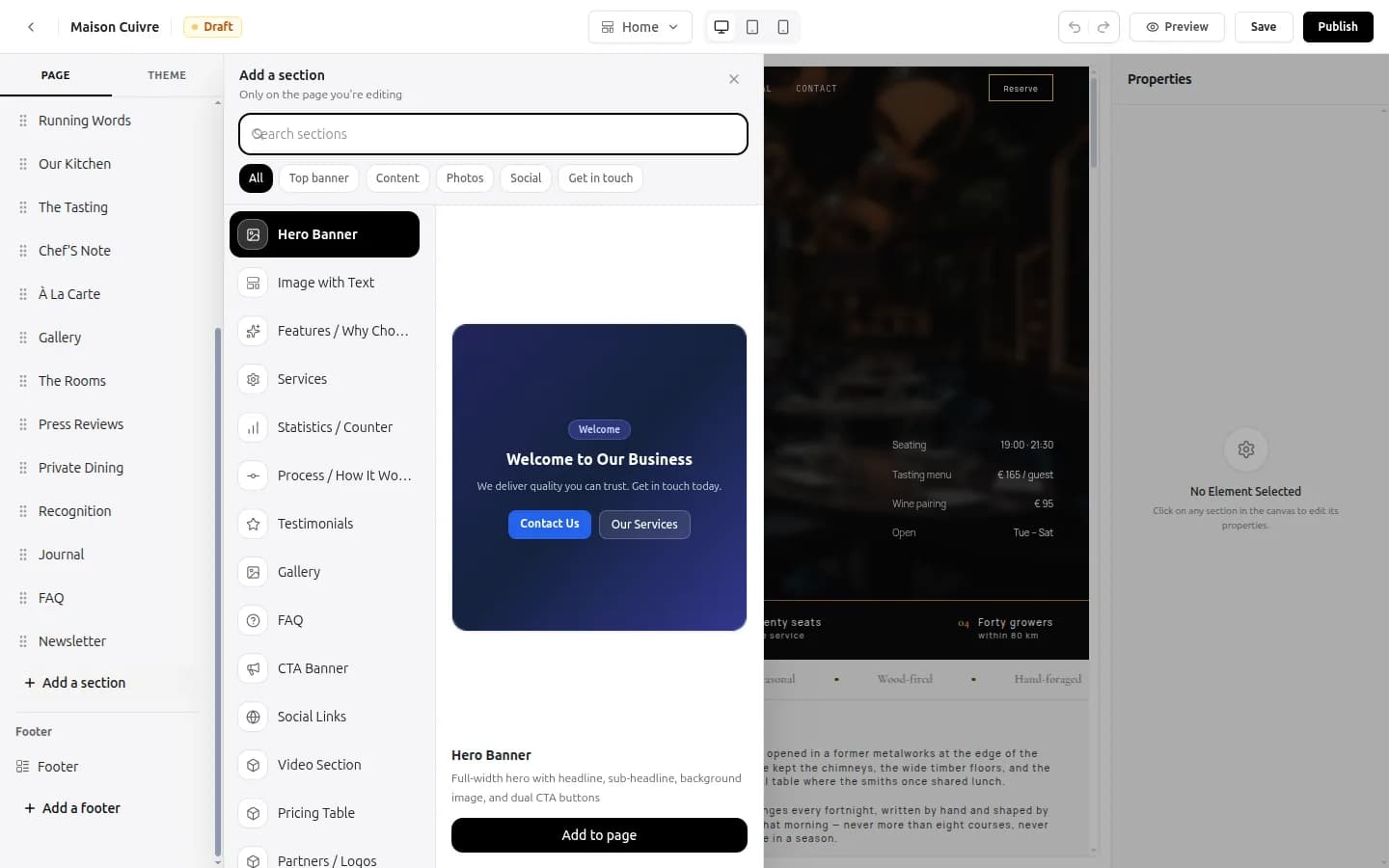
- OREYM: a builder made for local and independent businesses in India. You choose a template for your trade, edit it visually, connect your own domain, and get a digital business card and an inquiry inbox in the same plan.
The right choice depends on what you must do, how much time you have and who will keep the site updated in a year.
02How we compare them: six questions
Features lists are long and confusing. These six questions decide most cases.
- What is the total cost in year one and in year two? Include the domain, hosting, add-ons and the renewal price.
- How fast can a non-technical owner publish? Hours, days or weeks.
- Who maintains it? You, the vendor or a developer.
- What happens when you want to leave? Can you keep your domain and your content?
- Does it suit a local business? Map, hours, WhatsApp, enquiry form, mobile first.
- What can it not do? Every tool has limits. Ask first.

03Link-in-bio pages: good for a start, thin for a business
A link-in-bio page gives you one short page with buttons: call, WhatsApp, Instagram, menu or price list. You can set one up in ten minutes.
- Best for: a freelancer, a new home business, a seller who gets all enquiries on Instagram and WhatsApp.
- Strengths: very fast, very cheap, easy to update.
- Limits: one short page, limited space for services and prices, a web address that belongs to the tool's domain unless you pay for more, and little for people who arrive through a search.
- Check: whether the service works reliably in India. One service was reported to be unavailable in India in 2025. Look for current news before you rely on it.
If you want something this simple, a digital business card works in the same way: one link and a QR code with your photo, call and WhatsApp buttons and your links. When a customer needs more than a card, you will want a site.
04Wix: flexible and powerful, with a learning curve
Wix is a hosted builder, so you do not manage servers. It has a very wide range of apps and design tools, and you can place most elements anywhere on a page.
- Best for: a business that wants a custom look, or special features such as a members area or a large product catalogue with payments built in.
- Strengths: a big app market, many templates, lots of design freedom.
- Watch for: billing is usually yearly, the lowest plans may not connect a custom domain, and the price at renewal can differ from the first year. A lot of freedom also means more decisions, and a layout that looks fine on a laptop can break on a phone if you drag things freely.
- Ask before you pay: the rupee price for your plan, the renewal price, whether the plan includes a custom domain and whether you can export your content.
05WordPress: the most flexible, and the most to look after
WordPress itself is free. Your cost is hosting, a domain, a theme and plugins, plus your time or a developer's. There are two versions: WordPress.com, a hosted service with plans, and WordPress.org, the software you install on your own hosting.
- Best for: a business with a developer, a large content site, or special needs that no builder covers.
- Strengths: huge range of themes and plugins, full control, you own your files, and any developer can work on it.
- Watch for: updates, backups and security are your job. A plugin can break the site after an update. Speed depends on the hosting and on how many plugins you add. Costs rise as you add paid plugins.
- Ask before you start: who will update it every month, who has the admin login and where the backups are kept.
For a clinic, salon or shop with no developer, WordPress often becomes a site that nobody updates. If you have a developer who will look after it, it is a strong choice.
06OREYM: simple on purpose, built for local business
OREYM is narrower than Wix or WordPress, and that is the point. You pick a template for your trade from the templates page, change the words and photos on the page in the visual editor, and publish.
- Best for: shops, restaurants, salons, clinics, gyms, trades and service businesses that want a good site fast and want to edit it themselves.
- Included in every plan: a site on your own domain connection, free HTTPS, the visual editor, a digital business card with a QR code and an inquiry form inbox. Prices are in rupees. Basic is ₹150 a month, Go ₹200 and Premium ₹250, with yearly options, and every plan has a 7-day free trial.
- Also there: a code editor if you want to go deeper, and previews on desktop, tablet and phone.
- Not for you if: you need a large catalogue with payments built in, a members area, or very custom features. There is no free plan.
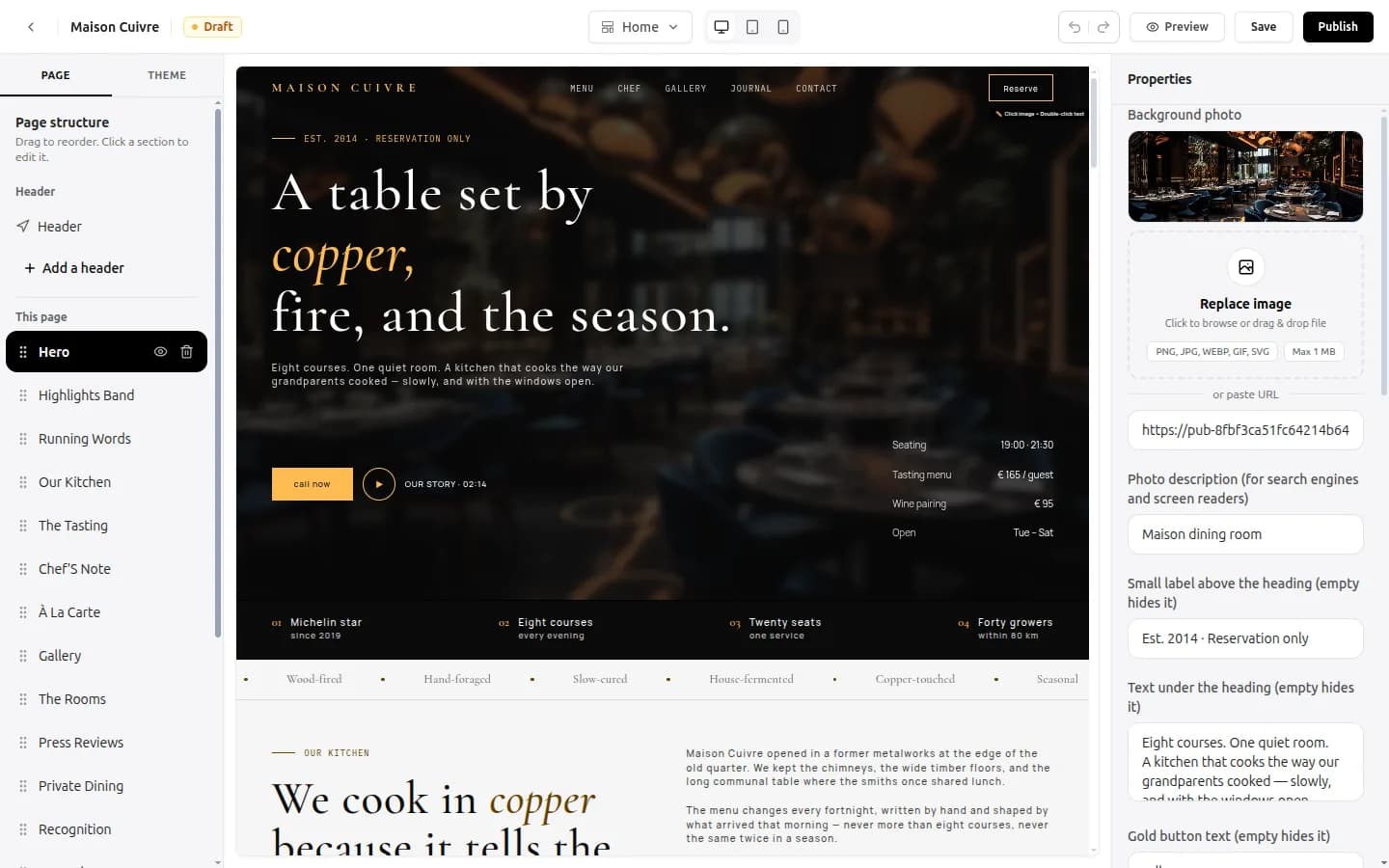
See the pricing page for what each plan includes, and the website builder page for the editor.
07Side by side
- Time to publish: link-in-bio, minutes. OREYM, an afternoon. Wix, a day or two. WordPress, days to weeks unless a developer does it.
- Who maintains it: link-in-bio and OREYM, you, in the editor. Wix, you. WordPress, you or a developer.
- Best for local business basics (hours, map, WhatsApp, enquiry form): OREYM is made for them. Wix and WordPress can do them with more setup.
- Custom features and large catalogues: Wix and WordPress are the stronger options.
- Cost control: link-in-bio is cheapest. OREYM has a flat plan price. Wix and WordPress depend on the plan, add-ons and renewal, so ask for year-two numbers.
- Leaving: always keep the domain in your own name, whichever tool you pick. See our guide to who owns your website.
08How to choose in five minutes
- You only need a signpost today: start with a link-in-bio page or a digital card.
- You are a local business and want to edit it yourself: use a builder made for that, such as OREYM.
- You need a custom design or special features and can spend the time: Wix.
- You have a developer or need full control: WordPress.
- You are unsure: use the free trial or the cheapest plan, publish one page, and see which tool you still enjoy using in a month.
Common questions
Which is better for a small business, Wix or WordPress?
Wix is easier to start and fully hosted. WordPress gives more control and a bigger range of plugins, but you manage updates, hosting and security or pay a developer. Pick Wix or a simpler builder if no one will maintain WordPress.
Is OREYM a good alternative to Wix for a local business?
OREYM is narrower than Wix by design. It suits shops, clinics, salons and service businesses that want a template, an own domain connection, a digital card and an inquiry inbox at one flat price. For custom features or a large catalogue with payments, Wix or WordPress is a better fit.
Can I use a link-in-bio page instead of a website?
For a very new or very small business, yes, as a start. It has little space for services and prices and is not built for people who search. Most businesses add a real website as they grow.
Is WordPress really free?
The WordPress software is free. You pay for hosting, a domain, any paid theme or plugins, and the time or a developer to maintain it.
How much does OREYM cost?
Plans are ₹150, ₹200 and ₹250 a month, or ₹1,200, ₹1,400 and ₹1,500 a year. Each has a 7-day free trial. There is no free plan.
Written by Sahil Patel
Product & growth, OREYM
Sahil works with shop owners, clinics and service businesses across India on getting found online and turning visitors into enquiries.


